WhatsApp and Telegram stickers: requirements, comparison table and how to make them free
A sticker that looks like a real sticker —and not like a rectangular photo pasted into the chat— depends on two things: cutting out the background well and meeting the exact format of the app where you'll use it. WhatsApp and Telegram ask for similar but not identical things, so here's a single guide: the cutout workflow is shared, and what changes is the export and how you upload it. The whole cutout happens in your browser, without uploading the photo to any server.
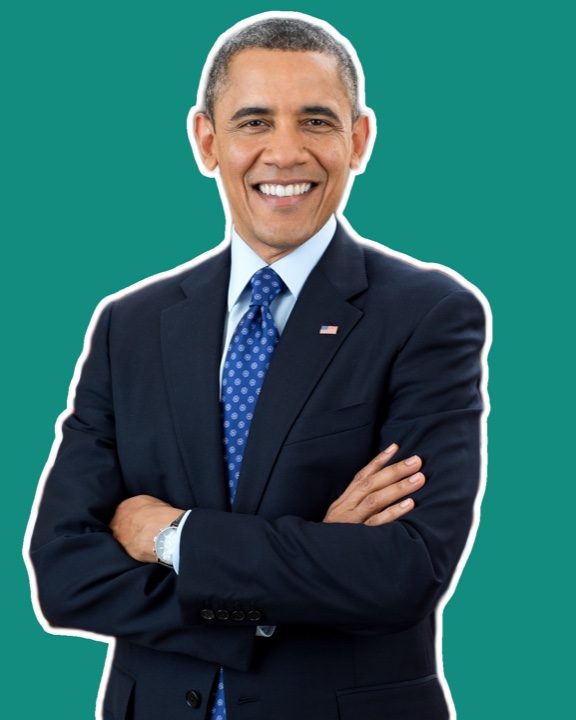
WhatsApp and Telegram, side by side
| Requirement | Telegram | |
|---|---|---|
| Size | 512 × 512 px, square | One side exactly 512 px and the other 512 px or less (512×512 is the safest) |
| Format | WebP with transparency (alpha channel) | PNG with transparency (it also accepts WebP) |
| Background | Transparent: without a cutout it looks like a pasted photo | Transparent: if you leave a background you see a box over the chat bubble |
| Outline | Optional, recommended: separates it from the chat background | Optional, recommended: especially on dark chat backgrounds |
| How it's uploaded | A third-party app builds the pack and registers it in WhatsApp | The official @Stickers bot, one sticker at a time with its emoji |
The shared workflow: from photo to sticker
- Open your photo in PhotoCut Studio (drag it in or paste with
Ctrl/Cmd+V). - Remove the background with the AI Cutout and refine the edges with the brushes if needed.
- Turn on “Sticker (outline)” in Finishing (optional but recommended) for the classic cut-out sticker look.
- In Export, open “Size preset” and pick the preset for your destination: “WhatsApp sticker 512 (WebP)” or “Telegram sticker 512 (PNG)”. The preset makes the 512×512 square, centers the figure with a margin without stretching it and locks the format.
- Download it and upload it for your app, as explained next.
For WhatsApp: 512×512 WebP under 100 KB
In Export choose the “WhatsApp sticker 512 (WebP)” preset and download. You get a WebP of exactly 512×512 px with a transparent background, even if the photo is vertical or horizontal: the figure is fitted into the square with a margin around it and isn't stretched. While the preset is selected, the panel only offers the WEBP format. You get a WebP in any browser: if yours can't create one (Safari's engine can't), the editor uses its own encoder, which downloads once and stays cached. If with your photo the file went over 100 KB, the editor lowers the quality step by step and tells you; if it still doesn't fit at the minimum quality, it tells you how much it weighs. WebP compresses better than PNG while keeping transparency, which is why meeting the weight limit is much easier than with a PNG of the same size. Besides the sticker, the pack asks for:
- Tray (cover) icon: 96 × 96 px, WebP, under 50 KB.
- Count: minimum 3 and maximum 30 stickers per pack.
- A separate app: WhatsApp doesn't let you add a loose sticker from the gallery; you need a pack app that registers it. Download the
.webpand use it there.
If the file doesn't meet these specs, pack apps reject it or resize it badly, leaving blurry or cropped edges.
For Telegram: 512 px transparent PNG and the @Stickers bot
In Export choose the “Telegram sticker 512 (PNG)” preset and download: you get a transparent 512×512 px PNG with the figure unstretched (JPG doesn't work because it fills the background, and with this preset the panel doesn't offer it). To upload it, Telegram doesn't use third-party apps but its own bot:
- Search for and open the chat with @Stickers.
- Use the command to create a new pack and name it.
- Send your PNG with transparency and assign it an emoji.
- Repeat for each sticker; when you finish, the bot gives you a link to use and share the pack.
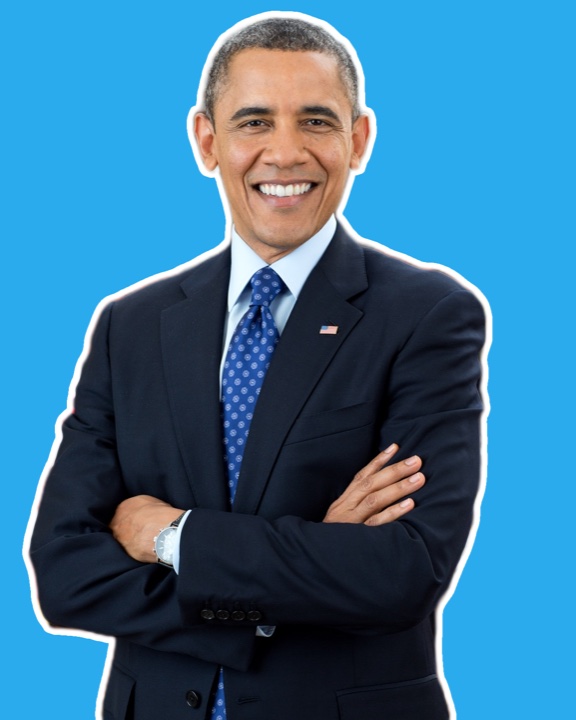
Why the outline makes the difference
A sticker with no border at all can "disappear" if the chat background is a similar color to the cut-out subject. A thin white (or colored) outline around the silhouette visually separates the sticker from the chat background, gives it a more polished finish and hides small imperfections left on the edge after the cutout. If your sticker looks "flat" on the bubble, try giving it an outline or a small margin.
Common mistakes when making stickers
- Exporting the whole photo rectangle. Without removing the background it looks like a pasted photo, not a sticker: the cutout isn't optional.
- Going over the weight on WhatsApp. A badly compressed WebP can exceed 100 KB and the sticker app rejects it without saying why.
- Using PNG for WhatsApp. A PNG of the same size weighs quite a bit more than an equivalent WebP and makes the limit harder to meet; PNG is for Telegram.
- Subject touching the frame edge. Without a margin it looks cramped and the outline gets cut at the canvas edge.
- Tiny text. Stickers are shown in the chat at a reduced size; fine details that read well in the large preview can get lost in real use.
From a single sticker to a full pack
WhatsApp requires at least three stickers per pack, so it pays to prepare several variants at once: different expressions of a pet, different poses or different texts over the same cut-out base. Repeat the same cutout and export flow for each, with the same outline style, so the pack looks coherent. On Telegram the bot builds the pack as you send the PNGs. And since the cutout is already done, you can export the same subject in both versions without redoing anything: switch the preset in Export and download again.
We tested it: the “WhatsApp sticker” and “Telegram sticker” presets against what the apps ask for
Image: quitar-fondo-antes.jpg, 720 × 900 px, 78.4 KB (public-domain portrait).
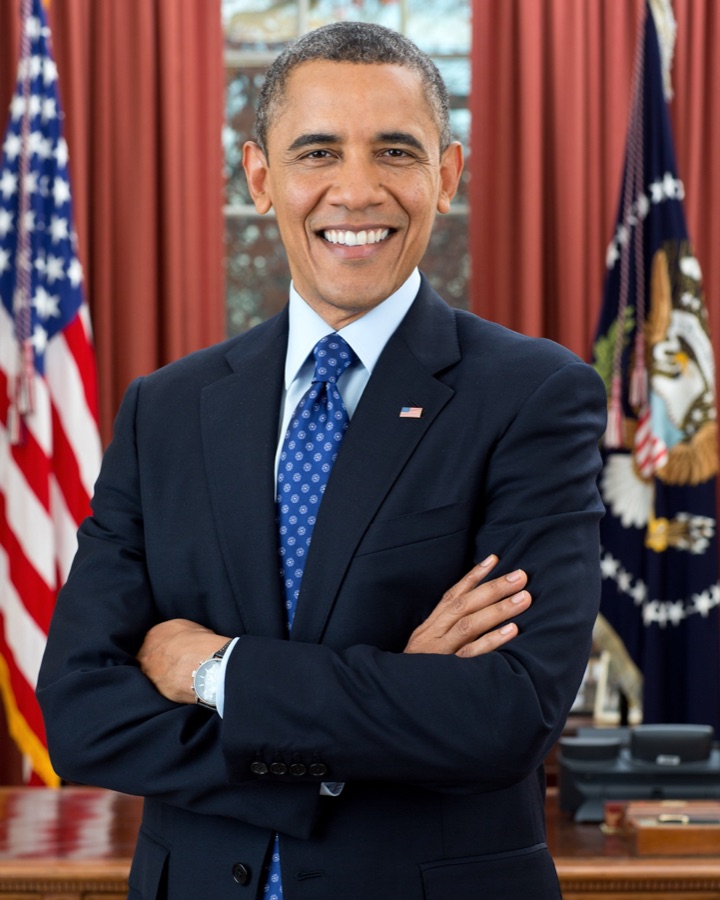
Tool: Cutout → AI cutout + “Sticker (outline)”, Export → “WhatsApp sticker 512 (WebP)” and “Telegram sticker 512 (PNG)” presets.
What I did:
- I loaded the portrait, applied “AI cutout” and turned on “Sticker (outline)” with the default width (14 px).
- I downloaded a transparent PNG with no preset as a reference for the figure's proportions.
- In Export I chose the “WhatsApp sticker 512 (WebP)” preset and downloaded; then the “Telegram sticker 512 (PNG)” preset and downloaded.
- In each file I measured size, weight, real format (file header), alpha of the four corners and the figure's box.
- I repeated everything in WebKit (Safari's engine) to check that the WebP comes out the same.
What I measured:
- WhatsApp sticker: WebP of 512 × 512 px and 20.2 KB (WhatsApp's limit is 100 KB), 67.9% transparent pixels and alpha 0, 0, 0, 0 in the four corners. With the preset chosen, the panel only let me pick the WEBP format.
- Telegram sticker: PNG of 512 × 512 px and 198.7 KB, alpha 0, 0, 0, 0 in the corners; format enabled: PNG.
- The photo is vertical (720 × 900) and the preset doesn't stretch it: the figure is 0.671 wide for every 1 tall in the reference, 0.670 in the WhatsApp one and 0.669 in the Telegram one. The figure's longest side takes 430 px in WhatsApp (an 8.0% margin per side) and 472 px in Telegram.
- In WebKit 26.4 (Safari's engine): WhatsApp sticker WebP of 512 × 512 px and 19.9 KB, alpha 0, 0, 0, 0 in the corners; that engine doesn't create WebP on its own and the file was built by the editor's own encoder. WebKit doesn't offer WebGPU, so there the cutout was done by u2netp, not BiRefNet.
What went wrong or what limit I saw: I measured in Chrome and in Playwright's WebKit on macOS, not on a real iPhone or in real Safari. The WebP's weight changes with the engine (20.2 KB in Chrome, 19.9 KB in WebKit) because it isn't the same encoder, nor the same cutout: WebKit has no WebGPU and u2netp did the cutout, not BiRefNet. Both presets gave the exact square without stretching the figure, but with this portrait the WebP stayed well under 100 KB in both engines: I didn't see the case where it goes over 100 KB and the editor lowers the quality by itself, so I didn't test that with a real photo. The preset locks the format (with the WhatsApp one only WEBP is left) and there's no preset for the 96 × 96 tray icon that a WhatsApp pack needs. I didn't build the pack or test it inside WhatsApp or Telegram.
More guides
How to remove the background from an image free (and without uploading it)
The three methods and when to use each, how to do it free with no watermark, and how to remove a background on your phone.
How to make a round profile picture (avatar) free
Why the photo goes in square and not "round", and how to export a 512 px circular avatar with any background.
How to change the background of a photo free (color or another image)
Cut out the subject once and place it on a solid color or another photo, with opacity control — no Photoshop.