How to make a WhatsApp sticker (512×512 WebP) free
Turning any photo into a sticker that really looks "like a sticker" —and not like a rectangular photo pasted in the chat— depends on two things: cutting out the background well and respecting the exact format WhatsApp asks for. This guide covers both: how to get the subject cut out with clean edges and how to export it at the right size, format and weight.
The exact format WhatsApp requires
| Requirement | Value |
|---|---|
| Dimensions | 512 × 512 px, square |
| Format | WebP with transparency (alpha channel) |
| Maximum weight | 100 KB per sticker |
| Tray icon | 96 × 96 px, WebP, under 50 KB |
| Stickers per pack | Minimum 3, maximum 30 |
If the file doesn't exactly meet these dimensions, the apps that build the sticker pack reject it or resize it badly, leaving blurry or cut-off edges.
Step by step: from photo to sticker
- Open your photo in PhotoCut Studio (drag it in or paste with
Ctrl/Cmd+V). - Remove the background with the AI Cutout and refine the edges with the brushes if needed.
- Go to the Sticker/Icon section and choose WhatsApp: it exports as WebP at 512×512 px, with compression tuned to stay under 100 KB.
- Turn on the white outline (optional) if you want the classic cut-out-sticker effect over the chat background.
- Download the
.webpand use it in a WhatsApp sticker-pack app, or share it directly if your WhatsApp version supports it.
We tested it: the white outline makes the sticker
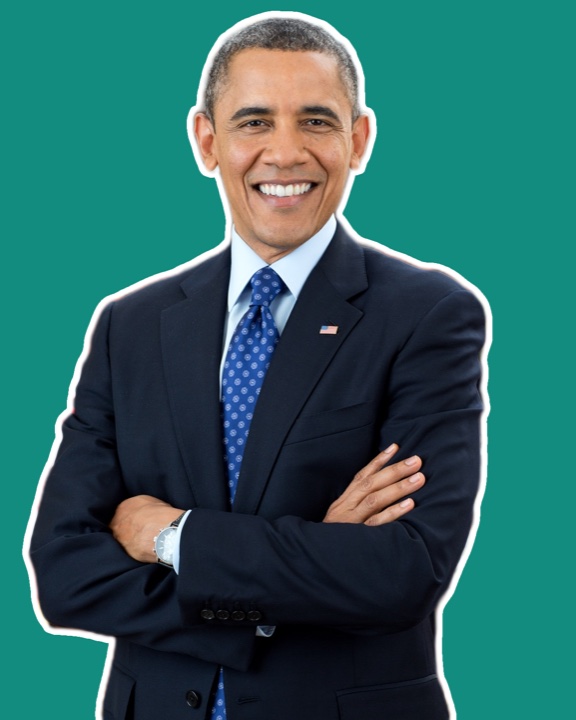
We cut out the person and turned on Sticker (outline): that white border is the classic sticker look and, above all, it helps the figure stand out from the chat background, which can be light or dark. We raised the outline width until it looked even.
For WhatsApp, export with transparency (stickers go at 512×512). The whole process happens in the browser, without uploading your photo.
Why the outline makes the difference
A sticker with no border can "disappear" if the chat background is a color similar to the cut-out subject. A thin white (or colored) outline around the silhouette —the same trick professional stickers on apps like Telegram or Line use— visually separates the sticker from the chat background and gives it a more polished finish. It also helps hide small imperfections left on the edge after the cutout.
Common mistakes when making stickers
- Exporting the full rectangle of the photo. Without removing the background, the result looks like a pasted photo, not a sticker. The cutout step isn't optional.
- Going over the weight limit. A poorly compressed WebP can exceed 100 KB and the sticker app rejects it outright without saying why.
- Subject up against the frame edge. With no margin, the sticker looks cramped and any outline gets cut off at the canvas edges.
- Using PNG instead of WebP. WhatsApp accepts the format, but a PNG of the same size weighs considerably more than an equivalent WebP, making the 100 KB limit harder to meet.
- Text too small. Stickers show in the chat at a fairly small size; text or fine details that read well in the large preview can be lost in real use.
From a single sticker to a full pack
Since WhatsApp requires a minimum of three stickers per pack, the practical move is to prepare several variants at once: different expressions of a pet, different poses, or different text over the same cut-out base. Repeat the same cutout-and-export flow for each, keeping the same outline style so the pack looks coherent.
Frequently asked questions
Why does WhatsApp ask for WebP and not PNG for stickers?
WebP compresses better than PNG while keeping transparency, so a sticker weighs much less at similar quality. WhatsApp limits each sticker to 100 KB, and WebP makes it much easier to meet that limit without losing sharpness.
Do I need a separate app to add the sticker to WhatsApp?
WhatsApp doesn't let you add a single sticker directly from the gallery: you need a third-party app that builds the pack (minimum 3 stickers) and registers it with WhatsApp Stickers. PhotoCut Studio prepares the file in the exact format those apps require.
How many stickers do I need to build a pack?
WhatsApp requires a minimum of 3 stickers per pack and a maximum of 30. Each must be a square 512×512 px WebP under 100 KB, plus a 96×96 px tray icon.
Can I use a photo with a background to make a sticker?
You can start from any photo, but you should remove the background first: a sticker with the full rectangle looks like a pasted photo, not a sticker. The cutout step isn't optional.
Make my WhatsApp sticker →More guides
Remove the background from a photo free, no watermark and no sign-up
The cutout is the first step of any sticker: clean edges, transparent PNG.
How to remove a photo's background on your phone
Make stickers straight from the phone, no app and no uploading.