Remove the background from a photo free, no watermark and no sign-up
You search "remove background free" and most results promise the same thing — until the fine print shows up: a watermark unless you pay, a handful of free uses per month, or a sign-up form before you can download. This guide is about the other option: a tool that runs in your own browser, with no server in the middle, and that's exactly why it can be genuinely free, with no fine print.


Why so many "free" tools aren't quite free
When a service processes your image on its server, every cutout costs it real money (compute, bandwidth, temporary storage). That cost is passed on somehow: a watermark you only remove by paying, a limited number of free cutouts per day, reduced resolution on the free plan, or a mandatory account so they can later offer you a subscription. None of that is necessary if the cutout happens in your browser: there's no per-image server to maintain, so there's no excuse to charge you to download without a watermark.
How to remove the background with no watermark, step by step
- Open PhotoCut Studio and load your photo (drag the file in or press
Ctrl/Cmd+V). - Press AI Cutout: the model detects the subject and removes the background automatically.
- If some background remains or the hair lost detail, use the keep/remove brushes to fix it by hand.
- Choose a transparent background and PNG (or WebP) and download the result, with no watermark and no download limit.
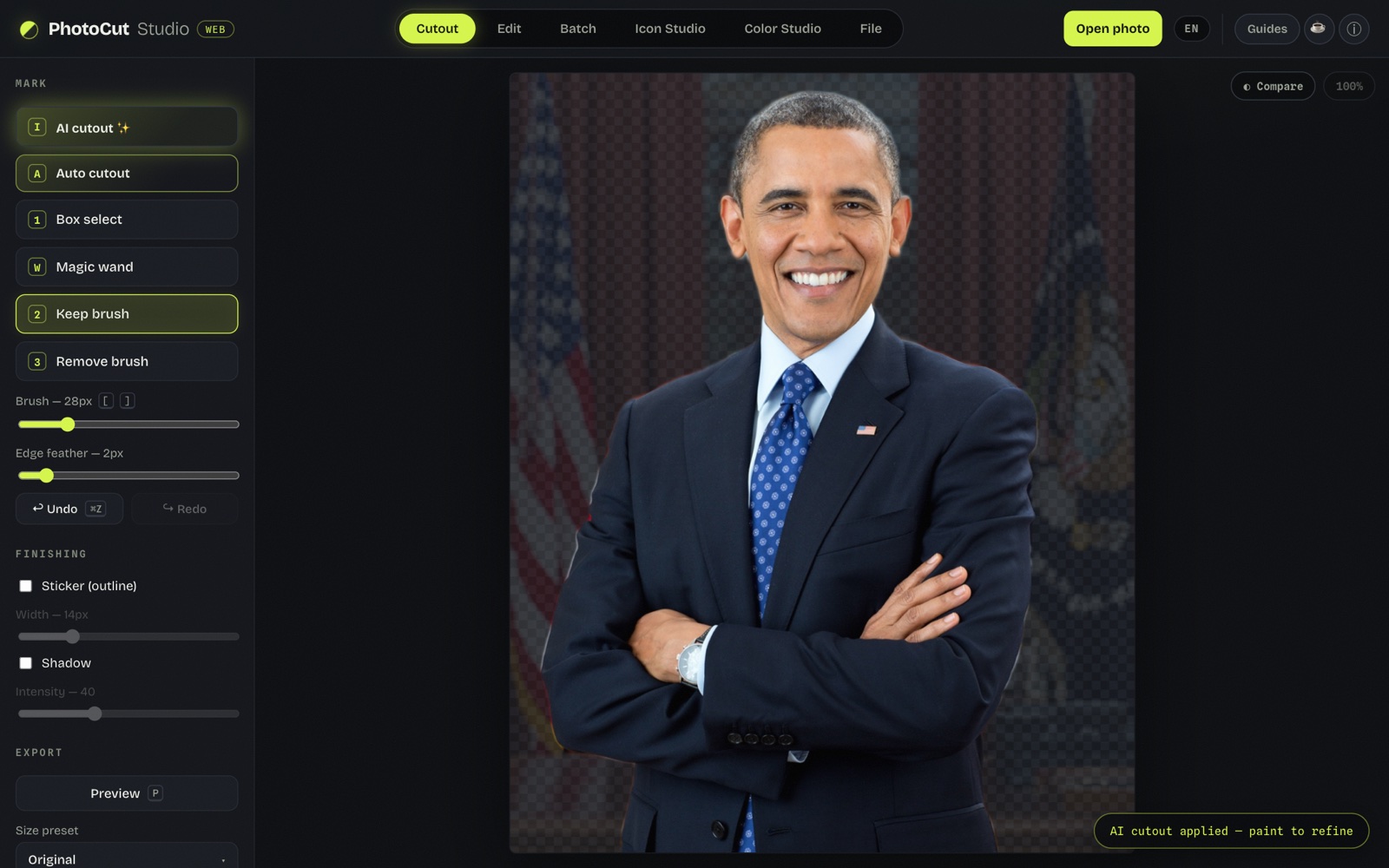
We tested it: what happened in practice
For this guide we cut out a real photo: a half-body portrait of
1201 × 1500 px, with a deliberately hard background (flags and a dark
curtain in tones close to the subject's suit). We pressed
AI Cutout and the model —u2netp, 4.6 MB,
Apache-2.0 licensed, running in a Web Worker inside the browser—
isolated the person in a few seconds and
without uploading the photo to any server.
The automatic result was good but not perfect: a faint fringe of background stayed on the shoulders, precisely because the colors were so similar. Two passes of the remove brush over that edge cleaned it up. On export we checked the PNG: the background was 100% transparent (alpha 0) — the "after" image above is exactly that file, untouched.
No sign-up: why it matters
Asking for an email "just to download" is needless friction and, for the user, one more way to end up on a marketing list. Since all the processing happens in the browser, you don't need to identify yourself to any server: you open the page, add your photo and download. No passwords to remember and no pre-checked "I agree to receive news" boxes.
Without uploading the image to any server
Beyond the watermark and the sign-up, there's a third common piece of fine print: what happens to your photo once you've uploaded it. Many services keep it on their servers to "improve the model" or simply don't say how long they store it. When the image is processed locally, that question doesn't apply: the file never leaves your device, so there's no retention policy to audit.
What if I need to cut out many photos in a row?
Since there's no usage limit, the same flow —AI Cutout, brush touch-up, export— repeats photo after photo with no waits or quotas. For large product catalogs or sticker packs, that's the difference between finishing the job in an afternoon and hitting a paywall halfway through.
Frequently asked questions
Does PhotoCut Studio watermark the free images?
No. Every export — PNG, WebP or JPG — comes out clean, with no watermark or overlaid logo, whatever you use it for.
Do I need an account or to give my email?
No. It's a web app used directly in your browser: it asks for no sign-up, email or any personal data to work.
Is there a daily limit of photos?
There is no usage or download limit: since the processing runs in your own browser (not on a pay-per-image server), you can cut out as many photos as you need.
Is it free for commercial use?
Yes. The images you cut out and export are yours: use them in your online store, social media or any commercial project with no license restrictions on the result.
Remove the background free now →More tools
Remove image background
Automatic AI cutout plus brushes to refine hair and edges, exporting a transparent PNG.
Change photo background
Replace the background with a solid color or another photo, with opacity and framing control.
White background
Put your subject on a pure white background for IDs, resumes and marketplace product shots.