ID or passport-style photo with a white background, free in your browser
A resume, an application form, a work badge or a corporate profile almost always ask for the same thing: a front-facing photo, with a white, uniform background, no distractions. Going to a photo studio is an option, but not always necessary: if you already have a front-facing photo with good light —taken with your phone, even— you can put it on a solid white background in under a minute, right in the browser.
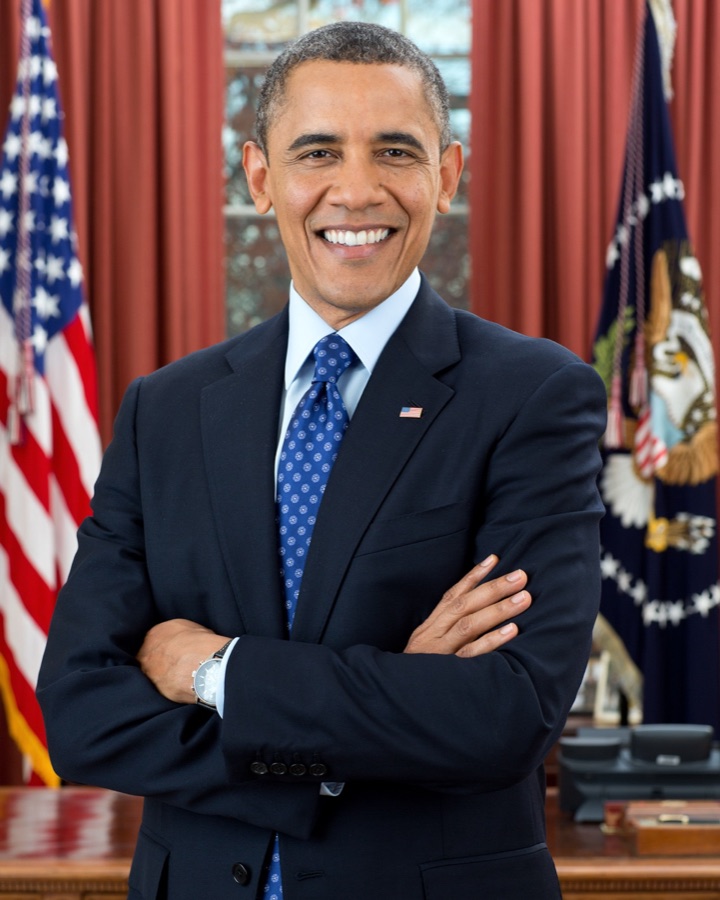
What you need before you start
The result depends mostly on the starting photo, not the cutout tool. Before uploading, it helps if the photo meets a few basics:
- Front-facing with shoulders visible: makes it easier for the automatic cutout to detect the outline.
- Even light: avoid backlight or hard shadows on one side; diffuse natural light (near a window, no direct sun) usually gives the best result.
- Simple background behind: a plain wall makes the cutout easier, though the AI Cutout also works reasonably well with busier backgrounds.
- Good resolution: start from the largest photo you have; downscaling later beats enlarging a small photo.
Step by step: from casual photo to ID photo
- Take the photo front-facing, with good even light and no hard shadows, or open one you already have in PhotoCut Studio.
- Use the AI Cutout to separate the head and shoulders from the background; adjust with the brushes (or the Magic wand) if the result isn't clean.
- In Export, choose the Color background mode and set pure white (
#ffffff), the standard for paperwork and resumes. - Use the scale/framing control to center the face and leave a symmetric margin on the sides and above the head.
- Download as JPG (no transparency, ideal for uploading to forms) or PNG if you need to edit it later.
We tested it: the white has to be uniform
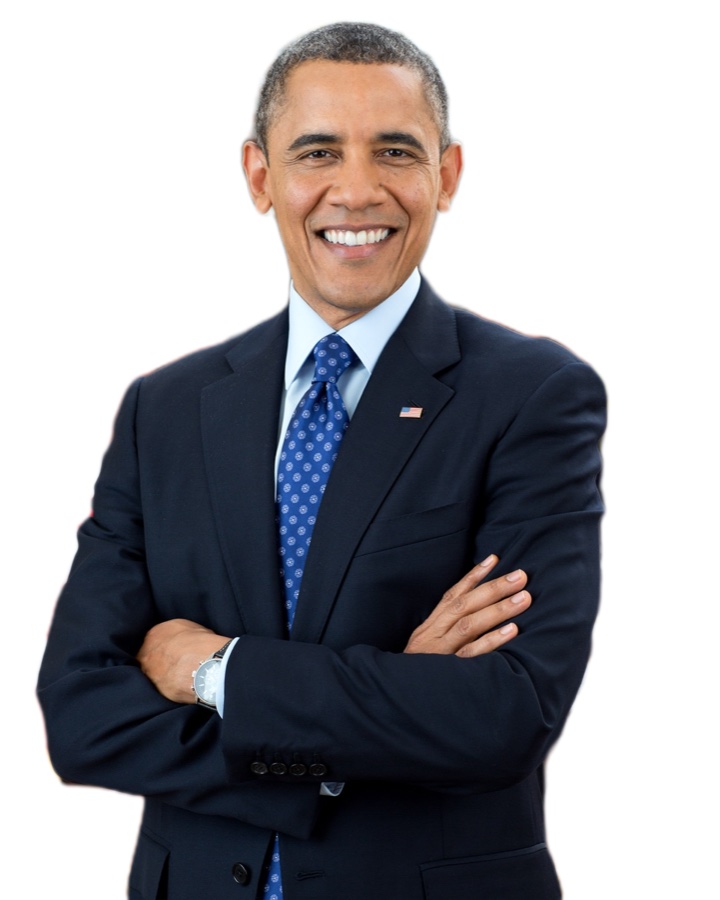
For an ID photo what matters is a flat white background, no shadows. We cut out the person and placed them on pure white: since the background is generated clean (not the "dirty" white of a wall), it came out uniform in one go.
A tip from the test: leave some air above the head and frame it straight before exporting as JPG. The automatic cutout resolved the silhouette; we only touched up the hair edge with the brush.
Does it work for a passport or ID card?
With caveats. Many official ID processes (passport, ID card, driver's license) require the photo to be taken at an approved studio or booth, with exact head proportion, eye position and certified print quality — a home cutout, however tidy, may not meet those formal requirements. Where this technique works perfectly is everything that asks for a "white background" without being an official document: resumes, LinkedIn profiles, internal company badges, registration forms, student records.
Common mistakes in a home ID photo
- Background leftovers stuck to the hair. On pure white any leftover shows much more than on a textured background; check the head outline with zoom before exporting.
- Off-center framing. An uneven margin on the sides shows immediately in a format as symmetric as an ID photo.
- Hard shadow on one side. The cutout doesn't fix the original lighting: if the starting photo has a hard shadow on the face, it stays after changing the background.
- Very low-quality JPG. If the form asks for a maximum file size, lower the compression quality carefully: too much compression leaves visible artifacts right at the edge between the face and the white background.
- Using a photo already cropped round. Forms ask for a rectangular or square format, not a circular avatar: start from the full original photo, not a crop already made for social media.
Without uploading your photo to any server
A photo of your face for paperwork is sensitive information. All processing in PhotoCut Studio happens in your browser: the image isn't uploaded to a server or stored anywhere after you close the tab.
Frequently asked questions
Is this photo valid for a passport or ID card?
It depends on the authority: many official ID processes require the photo to be taken at an approved studio or booth, with exact head and eye measurements. This guide is for general white-background use (resumes, profiles, internal forms); for official documents, check the specific requirements.
Pure white or light gray?
For the vast majority of uses, pure white (#ffffff) is the safest option: it's what almost every form and resume template assumes and looks consistent on any screen or printer. Reserve light gray only if the form asks for it.
Does it work with a phone photo?
Yes, as long as it's front-facing, in focus and with even light. The automatic cutout separates head and shoulders from the background; a plain wall under diffuse natural light gives the best result.
Is my face photo uploaded to a server?
No. All processing happens in your browser. A photo of your face for paperwork is sensitive; it isn't uploaded to any server or stored once you close the tab.
Make my ID photo →More guides
How to put a white background on a photo free (online, no Photoshop)
Cut out the subject and place it on pure white, with the trick for clean edges on white.
How to make a round profile picture (avatar) free
For social profiles that show a circle, export a 512 px circular avatar with any background.
More guides on “White background & formal photos (ID, profile)” →