App icon sizes in 2026: iOS, Android, macOS, Windows and Web
Each platform asks for icons its own way: Apple wants an
appiconset with light/dark/tinted variants, Android moved to
adaptive icons with a monochrome layer for Material You themes, and the web
has its own little zoo of favicons. This guide gathers every current
size in 2026 in one place.
iOS / iPadOS (Xcode 16+)
Since Xcode 14 a single 1024 × 1024 px icon is enough and Xcode generates the rest. With iOS 18, Apple added two same-size variants:
| Variant | Size | Notes |
|---|---|---|
| Standard (any) | 1024 × 1024 | No transparency or rounded corners: the system applies the mask. |
| Dark | 1024 × 1024 | Transparent or dark background; the subject must work over the system's dark background. |
| Tinted | 1024 × 1024 | Grayscale; iOS tints it with the user's accent color. |
For projects still supporting older versions, the legacy sizes remain: 20, 29, 40, 60, 76 and 83.5 pt at @1x/@2x/@3x per device (40, 58, 60, 80, 87, 120, 152, 167, 180 px…).
Android (API 33+ / Android 13)
| Resource | Size | Notes |
|---|---|---|
| mipmap-mdpi | 48 × 48 | "Classic" icons by density. |
| mipmap-hdpi | 72 × 72 | |
| mipmap-xhdpi | 96 × 96 | |
| mipmap-xxhdpi | 144 × 144 | |
| mipmap-xxxhdpi | 192 × 192 | |
| Adaptive (foreground/background) | 432 × 432 | The "safe" content must fit in the central 264 px circle: the system crops the shape. |
| Themed / monochrome | 432 × 432 | Monochrome layer (white on transparent) for Material You on Android 13+. |
| Google Play Store | 512 × 512 | 32-bit PNG, no transparency. |
macOS
An AppIcon.iconset with 10 files that's then compiled to .icns with iconutil:
16, 16@2x, 32, 32@2x, 128, 128@2x, 256, 256@2x, 512, 512@2x
(that is: 16, 32, 64, 128, 256, 512 and 1024 px)
Windows
A single multi-resolution app.ico with 7 embedded sizes: 16, 24, 32, 48, 64, 128 and 256 px. Installers and the taskbar pick the one they need.
Web / PWA
| File | Size | For what |
|---|---|---|
| favicon.ico | 48 × 48 (multi) | Tabs and bookmarks in old browsers. |
| favicon-32.png | 32 × 32 | Standard tab. |
| apple-touch-icon | 180 × 180 | Home screen on iPhone/iPad. |
| icon-192.png | 192 × 192 | Installed PWA (manifest). |
| icon-512.png | 512 × 512 | PWA splash (manifest). |
| maskable-512.png | 512 × 512 | "Maskable" variant: the art must fit in the central 80%. |
We tested it: all the sizes at once
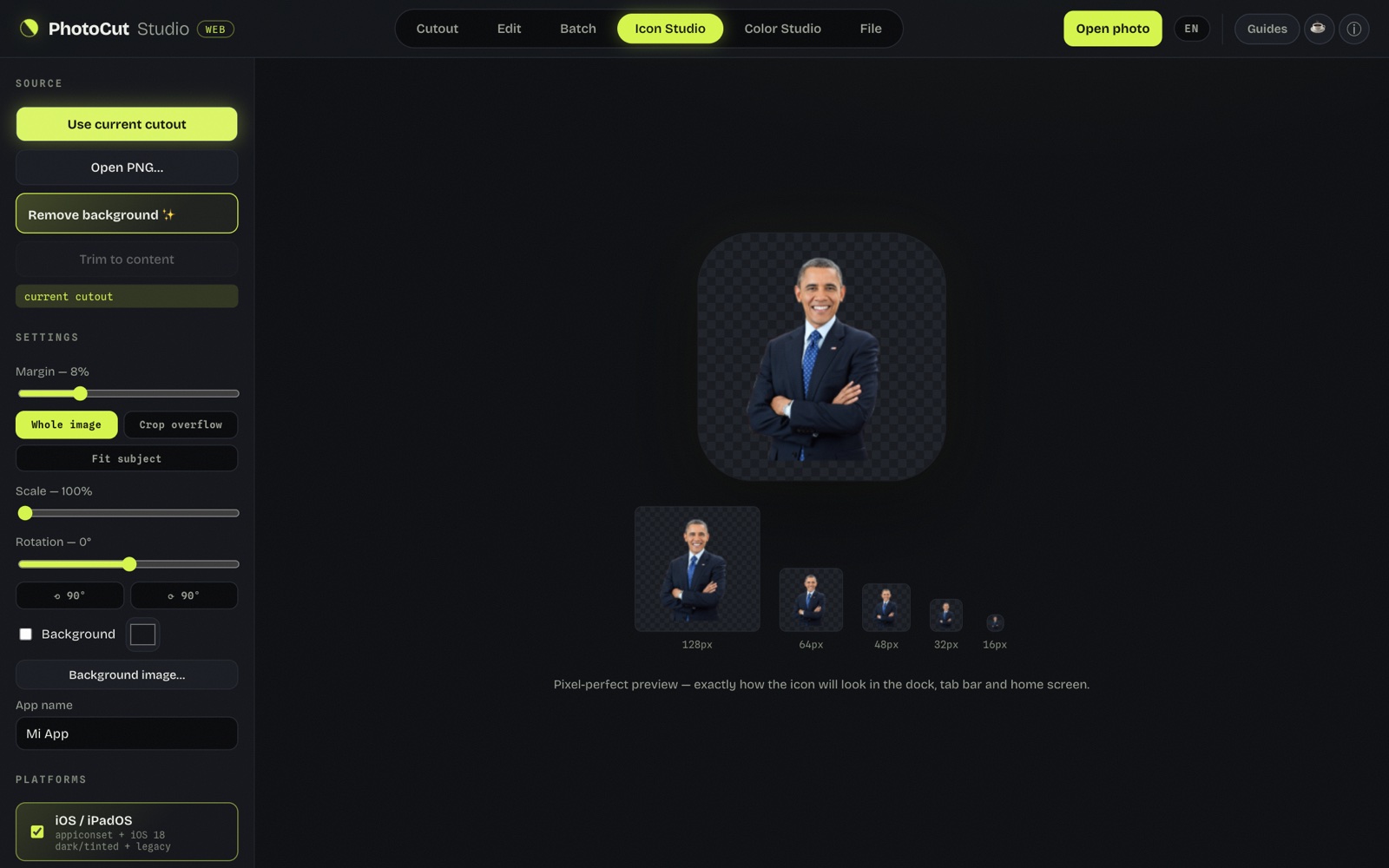
Instead of exporting size by size, with "Use current cutout" the tool generates every size for the selected platforms (iOS/iPadOS appiconset, Android, macOS, Windows, Web) in a single pass. The 8% margin leaves air around the subject so it isn't stuck to the icon edge.
Handy for publishing an app: you download the package with the folder structure ready, without uploading the image.
Design rules that save headaches
- Work from a transparent PNG of 1024 px or more and generate everything downward.
- Breathing margin: 8–12% around the art; on adaptive/maskable, remember the system crops the edges.
- Check at small sizes: an icon that looks good at 256 px can be unreadable at 16. If it isn't recognizable at 32 px, simplify.
- No small text: it disappears at taskbar sizes.
Common mistakes preparing the source art
- Starting from a small size. Scaling a 256 px icon up to 1024 leaves it blurry. Always design or export from the largest file available.
- Leaving transparency in the standard iOS icon. Apple doesn't allow alpha in the "any" variant: if your PNG has transparency, the system replaces it with solid black, which usually ruins the design.
- Ignoring the adaptive/maskable safe zone. Content outside the central circle (264 px over 432 on Android, central 80% on maskable) gets cropped by whatever shape each launcher uses — square, circle, squircle or teardrop.
- One design for dark and tinted. The iOS 18 tinted variant shows in grayscale with the user's accent color: an icon with many different colors loses all contrast when it goes monochrome if it wasn't designed with that in mind.
- Naming the iconset/appiconset files wrong. Xcode and
iconutilexpect exact names (icon_16x16@2x.png, etc.); a different name and the build fails or uses the default icon.
Where to start if I only have one logo?
If your starting point is a logo with a transparent background and none of these rules in mind, the recommended order is: 1) remove the background and keep only the symbol (not the full wordmark with text, which becomes unreadable at 16 px); 2) center it on a square 1024×1024 canvas with 10–15% margin; 3) generate the full per-platform set from there. That first clean cutout is the step that saves the most time later.
Frequently asked questions
Is a single 1024×1024 icon enough for everything?
Yes, if you start from an uncompressed 1024×1024 PNG with breathing margin, a generator can derive every iOS, Android, macOS, Windows and Web size from it with no visible quality loss.
What's the difference between Android's adaptive and maskable icon?
They're equivalent concepts in different ecosystems: the adaptive icon is Android's native format (foreground + background, cropped by the system into different shapes), and the maskable icon is its PWA equivalent declared in the manifest. Both require the important content to fit in the central safe zone.
Do I need to make the iOS 18 dark and tinted variants by hand?
Not necessarily by hand: you can generate a dark-background version and a grayscale one from the same 1024×1024 art. An icon generator can produce all three variants (standard, dark, tinted) automatically from a single PNG.
What if my icon doesn't respect the adaptive/maskable safe zone?
The system still crops it to the corresponding shape (circle, squircle, teardrop), so any detail outside the central 66–80% safe zone simply disappears or gets cut in half.
Generate them all at once
Icon Studio in PhotoCut Studio generates the ~58 sizes of the five platforms from a single PNG — including the iOS 18 dark/tinted variants and the Android 13 monochrome layer — and downloads them in a ZIP with the folder structure ready to paste into the project. Free and without uploading your logo anywhere.
Generate my app icons →More guides
Favicon sizes and the HTML to copy
The favicon set a modern site really needs, with the ready-to-paste HTML.
How to make a logo with a transparent background (PNG) free
The clean cutout that's the starting point for any icon.