Product photos for Amazon, Etsy and Shopify: sizes and white background
Selling online starts with a good product photo, and almost every marketplace asks for the same thing: the product cut out on a white background, centered, with a little margin and in a square format. The catch is that each platform has its own size and rules. This guide brings them together and shows how to get the photo ready — removing the background and exporting at the right size — without installing anything and without uploading the image to any server.
Sizes by platform (2026)
| Platform | Recommended size | Background |
|---|---|---|
| Amazon | 2000 × 2000 px (1000 minimum; long side ideally 1600+ for zoom) | Pure white (RGB 255,255,255) required on the main image |
| Etsy | 2700 × 2025 px (4:3 ratio; ~2000 px minimum on a side) | Free, but white/neutral converts better |
| Shopify | 2048 × 2048 px (square; up to 4472 supported) | Free; white recommended for consistency |
| Instagram (post) | 1080 × 1080 px | Free |
Why the white background matters so much
- Amazon requires it on the main photo: if the background isn't pure white, they can reject or suppress the listing.
- Catalog consistency: with every photo on the same white, your store looks professional and the products "float".
- Conversion: with no background distractions, attention goes to the product. It's the e-commerce standard for a reason.
How to get the photo ready, step by step
- Open the product photo in PhotoCut Studio (drag the file in or paste with
Ctrl/Cmd+V). - Remove the background: try the AI Cutout; if the product has complex edges, adjust with the keep/remove brushes.
- In Export, choose the Color background mode and set white (
#ffffff). - Pick your platform's size preset (Amazon 2000×2000, Etsy 2700×2025, Shopify 2048×2048, Instagram 1080×1080): the preset crops to the product, centers it and adds margin automatically.
- Download. Repeat the same cutout for each platform by changing only the preset.
We tested it: a real product on pure white
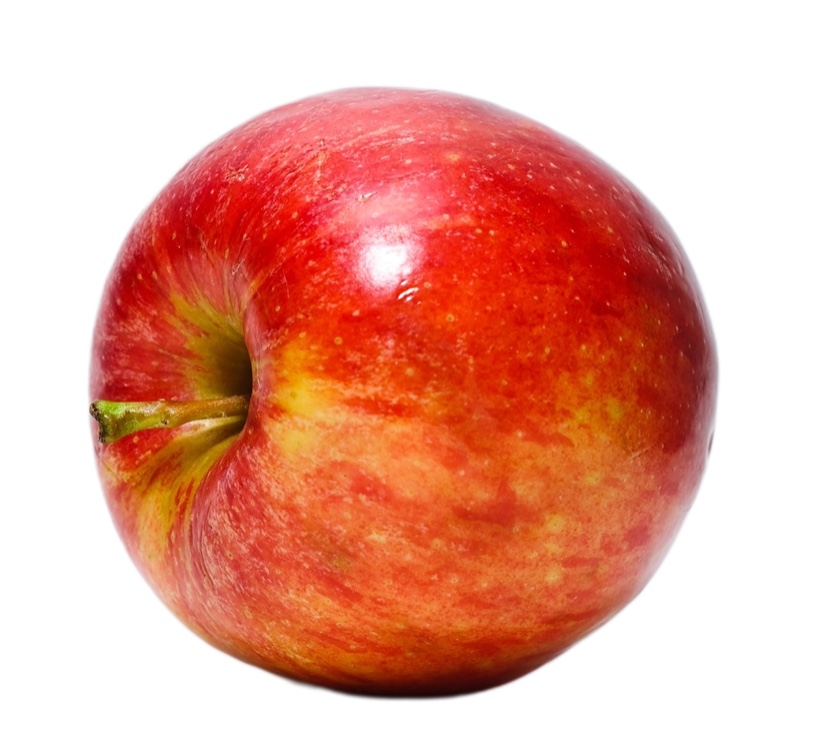
We cut out a product photo (an apple) with the AI Cutout: it isolated the object cleanly, even the stem, and we placed it on pure white (#ffffff) — the background Amazon, Etsy and Shopify ask for on the main photo. The result is even, without the shadow or gray of the original background.
A detail we confirmed: export as JPG (not PNG) when the background is solid white; it's lighter and it's what the marketplaces expect. All in the browser, without uploading the product image.
Tricks to make it look pro
- Breathing margin: leave 5–10% of air around the product; up against the edges it looks cramped. The presets already do this.
- Subtle shadow: a soft shadow under the product adds volume and avoids the "cut with scissors" look. PhotoCut adds it as an optional finish.
- Work in high resolution: cut out on the largest photo you have; marketplaces reward zoom.
- Check the edges against white before exporting (the white-background preview reveals any halo).
Mistakes that reject or penalize a listing
- "Almost" white background. A grayish or yellow-tinted white from the original lighting won't pass Amazon's check. Force the exact
#ffffffcolor in the export mode; don't trust "it looks white" by eye. - Shadow or reflection from the original product sneaking in. If the automatic cutout didn't catch the edge well, a dark remnant can stay at the base of the product and show against white.
- Watermark, text or overlaid logo on the main image: most marketplaces explicitly forbid it on the MAIN photo.
- Too tight a crop. With no breathing margin, the product looks squeezed against the frame and the listing thumbnails cut it off.
- Insufficient resolution. Uploading an 800×800 photo as if it were 2000×2000 leaves it blurry on zoom, which lowers buyer confidence.
Privacy: your photos aren't uploaded
Unlike cloud cutout services, in PhotoCut all processing happens in your browser. Your product photos — often of unreleased items — never leave your device.
Frequently asked questions
Does Amazon reject photos with a background that isn't pure white?
For the main (MAIN) image, yes: Amazon requires a pure white background (RGB 255,255,255) and may suppress the listing if it isn't met. On the secondary carousel images the background is free, and there you can show the product in context.
Can I use the same cutout photo for several platforms?
Yes: you remove the background once and then export several times, changing only the size preset (Amazon, Etsy, Shopify, Instagram). The already cut-out subject is reframed automatically for each size.
What minimum resolution do I need for Amazon's zoom to work?
Amazon enables magnifier zoom when the image is 1000 px or more on the long side; for the zoom to look sharp it's best to upload at 2000×2000 px, which is also Amazon's recommended size.
Does it work for photos taken with a phone at home?
Yes, as long as the product is well lit and in focus. Automatic cutout depends on the contrast between the product and what's behind it; a plain table under natural light usually gives better results than a cluttered background.
Prepare my product photos →More guides
Remove the background from a photo free, no watermark and no sign-up
Why many "free" tools aren't quite free, and how to cut out with no watermark, no account and no usage limit.
White background
Put your subject on a pure white background for IDs, resumes and marketplace product shots.